
When the Play or Download button does nothing on MP3Juice on a phone, the usual causes are an in-app browser that cannot save files, a content blocker that stops the player or the download options, a data saver, or storage that is almost full. Each one has a short fix.
This article covers Chrome on Android and Safari on iPhone, symptom by symptom. None of the fixes asks you to switch off your browser's security warnings or to install anything. If the page itself will not open, or a search shows no results, start with the five checks for MP3Juice not working.
Which step fails on your phone
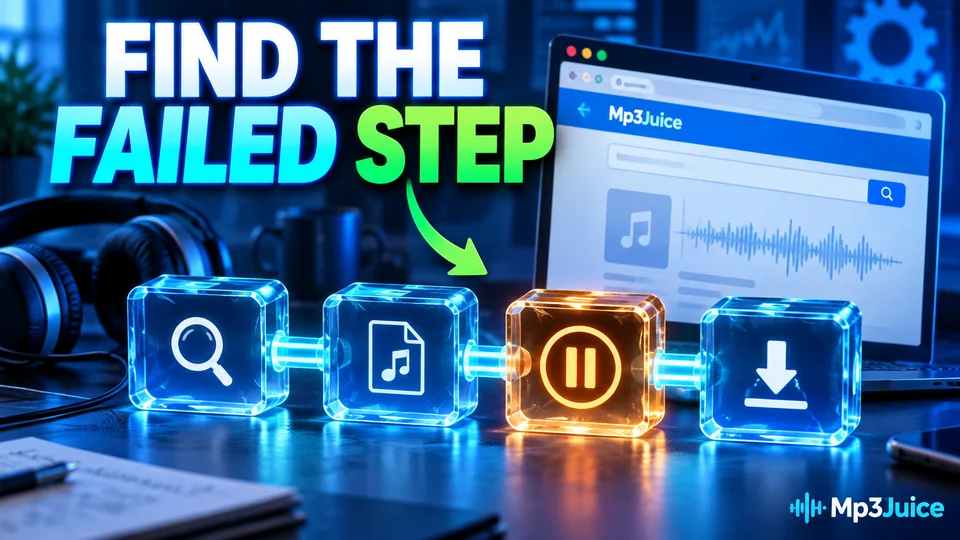
A search on MP3Juice runs in five steps:
- Type a song title or an artist name.
- Press Search. A results page lists matching YouTube videos, each with a Play button and a Download button.
- Press Play. The video opens in an embedded YouTube player, so you can confirm the recording.
- Press Download. A panel opens with Download MP3 and Download MP4.
- Choose MP3 or MP4 and pick an option. An external conversion service prepares the file and your browser saves it.
A pasted link skips the results list and opens a converter page for that single video. Note the last step that worked. The fault is in the one after it.
The page opened inside another app
Check this first. A link tapped in a chat or social app opens in that app's built-in browser, which often cannot save files and has no download list. The buttons then appear to do nothing. Use the app's menu to open the page in Chrome or Safari and repeat the step there. The browser download guide shows what each phone browser does with a download.
Play does nothing in Chrome on Android or Safari on iPhone
A Play button that opens an empty box usually means the embedded YouTube player is being blocked. Content blockers and strict tracking protection are the common causes, followed by networks that block YouTube itself. Pause the blocker for this site, or test in a second browser.
Some videos cannot play outside YouTube at all, because the uploader has turned embedding off. For those, try another result. On a weak mobile signal the player can also stay on its loading message, so wait a few seconds or switch between Wi-Fi and mobile data.
Download does nothing, or the options never appear
Pressing Download opens a panel on the page. The Download MP3 and Download MP4 buttons then load their options in a frame supplied by the external conversion service. A content blocker that stops frames or requests to other domains leaves that frame empty, so the button seems dead. Pause the blocker for this site and reload the page.
Three phone settings have the same effect:
- Data saver. A data saver mode can hold a download as pending until Wi-Fi returns. Turn it off for the browser, or connect to Wi-Fi.
- Storage. A phone with almost no free storage refuses new files, sometimes without a message. Check Storage in Settings on Android, or General, then iPhone Storage, on an iPhone.
- A blocked new tab. If an option opens in a new tab and the browser blocks it, a short notice says so. Allow it for that one action.
If the options load and a file still does not arrive, the checks for MP3 not downloading take over.
The panel is gone after you switched apps
Phones close background tabs to free memory. If you switch to another app while the options are being prepared, the tab can reload when you come back, and the open panel is gone. Nothing is broken. Press Download again and stay on the page until the browser reports a download in progress.
The conversion fails or never finishes
From here the work is done by the external conversion service, and the outcome depends on the source video. Four kinds of video often fail to convert:
- private videos, and videos that need a sign-in to confirm your age
- videos blocked in the region the request comes from
- live streams that are still running
- very long videos, such as multi-hour mixes
For these, return to the results and choose a different upload of the same song, as why some YouTube videos will not convert explains. If an ordinary music video stalls, the service may be busy. Wait a minute, reload and try once more. Tapping the same button ten times in a row does not help. Specific messages are decoded in what each error message means.
The file is missing after the download
A finished download is often on the phone already, in a place you did not expect. Each system has one folder to check:
- Android: the Download folder, reached from the Files app or from Downloads in Chrome's menu. The page on MP3 download on Android shows each route.
- iPhone: the Downloads folder in the Files app. Safari also shows a download arrow beside the address bar.
Then check the size. A four-minute MP3 at 128 kbps is close to 3.8 MB. A file of a few kilobytes is usually an error message saved under a song's name, and a file that stops halfway was cut off by a dropped connection. Delete it and download again on a steadier network. If a full-size file still refuses to play, see why a downloaded MP3 will not play.
Phone symptoms and first fixes
The table lists seven symptoms on a phone with the likely cause and the first thing to try.
| What you see | Likely cause | First thing to try |
|---|---|---|
| Buttons do nothing in a page opened from another app | In-app browser | Open the page in Chrome or Safari |
| Play shows an empty box | Embedded player blocked | Pause the content blocker, or try a second browser |
| Download opens no options | Frame from the conversion service blocked | Pause the content blocker and reload |
| Download stays pending | Data saver or weak signal | Turn off the saver, or switch to Wi-Fi |
| Panel is gone after switching apps | Tab reloaded in the background | Press Download again and stay on the page |
| Conversion fails | Video is restricted, live or very long | Choose another upload of the song |
| File missing or tiny | Saved elsewhere, or transfer cut off | Check Downloads, then download again |
If every song fails on every device and every network, the fault is not at your end. Leave it for a while and try again later. The stages of a download on any device are sorted in MP3 download troubleshooting.